
 Eesti
 Suomi
 Русский

HDMI video box: YouTube and Netflix on your car screen
ANDREAM · HDMI · YOUTUBE · NETFLIX
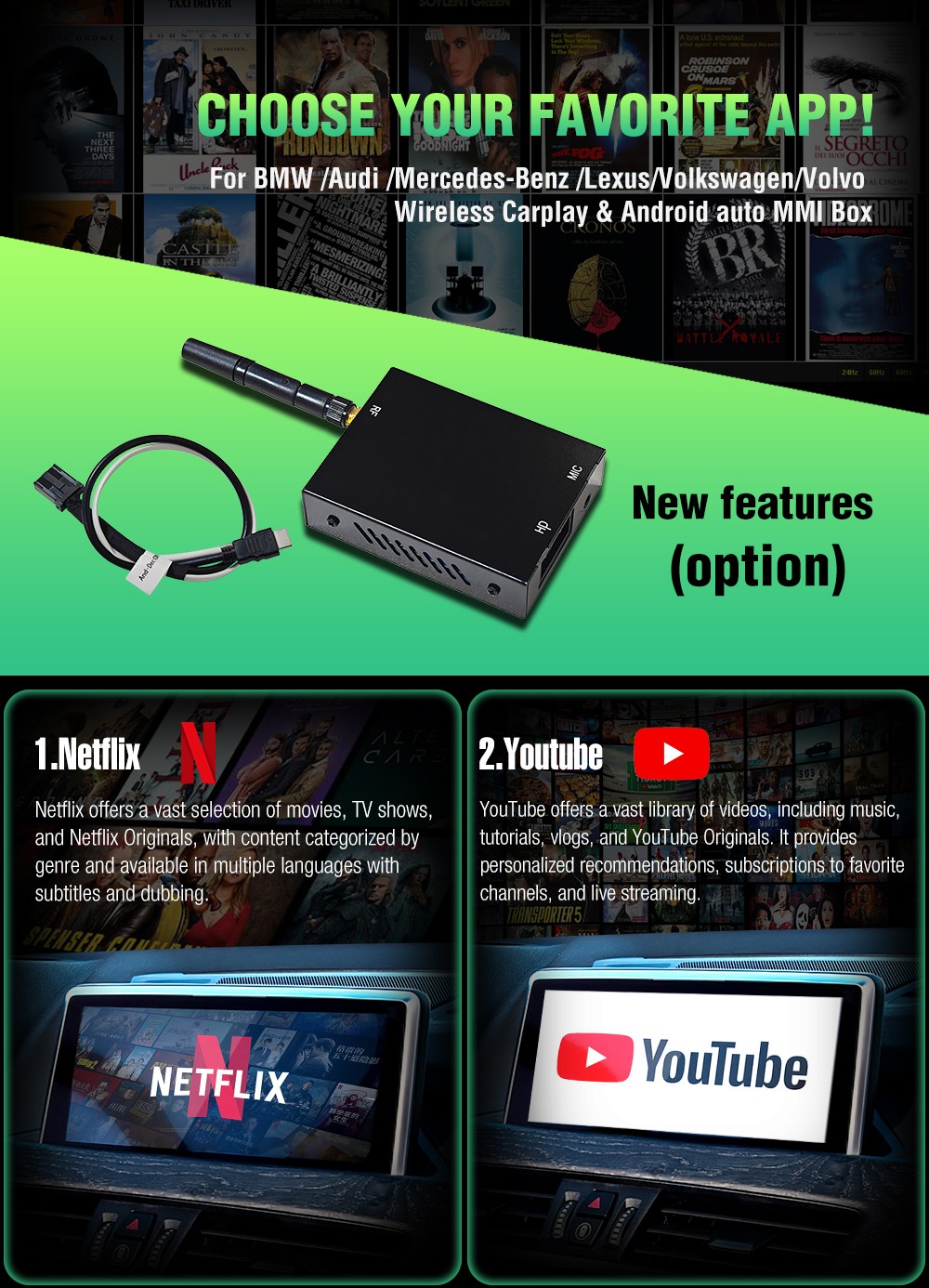
Add a separate video box to a compatible Andream CarPlay module and watch YouTube and Netflix on the car’s original screen. Both apps are included on the video box; picture and sound reach the compatible MMI system through an HDMI connection.
Two familiar video services
The video box contains YouTube and Netflix apps. They run on the video box, rather than as phone apps through CarPlay or Android Auto. The factory display remains in use, and video playback is opened from the MMI box’s own menu.
Internet access over Wi-Fi
Connect the video box to a Wi-Fi network, such as a phone hotspot, to stream video. A working internet connection is required. Netflix requires an account and an active subscription; service fees and mobile data are not included in the video box price.
How to set up the video box
-
Connect the video box to the MMI module
Install the supplied wiring and HDMI connection as shown in the manual’s diagram, and attach the video box antenna. The wiring and sockets must match your module version.
-
Enable the video app menu
In the MMI box settings, open Setup / Settings → YT&NF → Mode and select APP. In the software version illustrated in the manual, YouTube and Netflix icons then appear in the MMI main menu.
-
Connect Wi-Fi and open an app
Choose a suitable Wi-Fi network in the video box network settings and enter its password. Open YouTube or Netflix and sign in to your account if required.
Connection diagram and controller
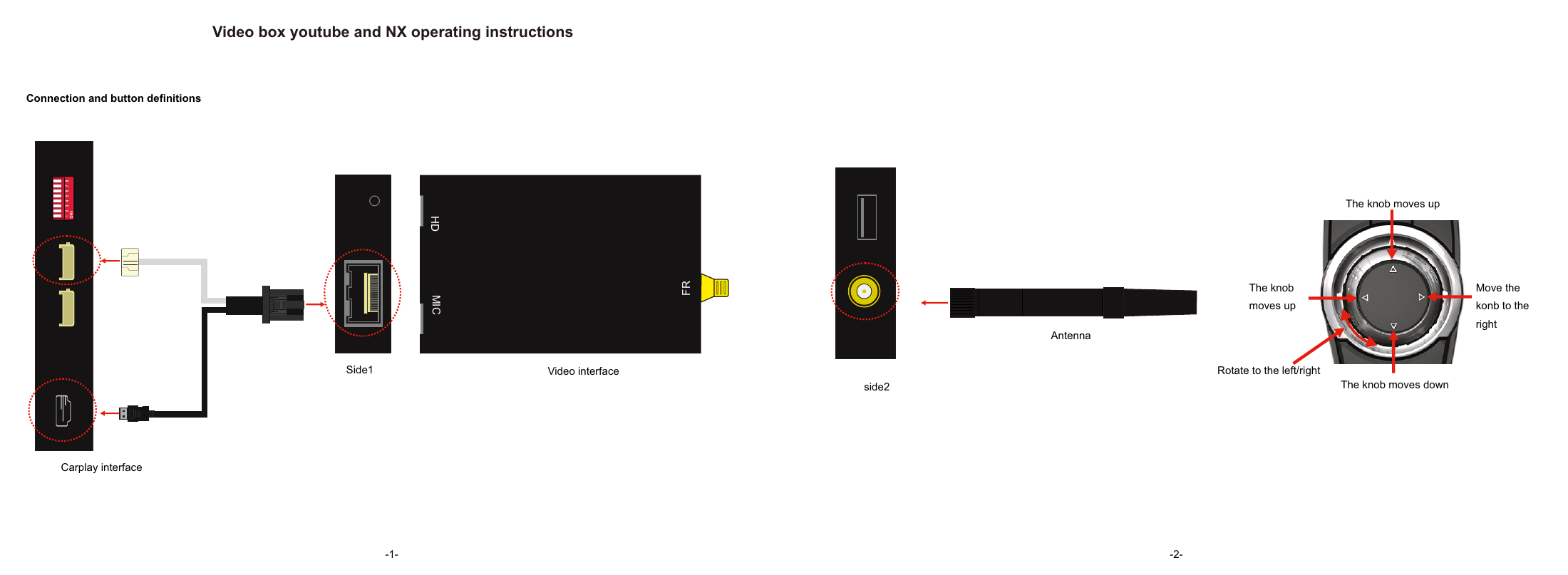
The manufacturer’s illustration and original manual diagram are examples; compatibility depends on the specific MMI module and connections.
Using the factory controller
The manual demonstrates operation with the vehicle’s rotary controller: rotate and move the knob to navigate, then press to confirm. Some actions require holding the confirmation button while rotating. Use the on-screen keyboard for network passwords and searches. Return to the menu using the supported MENU or BACK button as described in the manual. Controls depend on the vehicle’s factory system.
Questions and answers
Does the video box fit every CarPlay module?
No. It requires a compatible MMI module with HDMI input. Our package option is intended for compatible EWXU-prefix models. The video-box package is not offered for EWX, EWM or other modules without this support.
Do YouTube and Netflix run on the phone?
When using this accessory, the apps run on the video box itself. A phone may share its internet connection with the video box. This is a separate function from displaying phone apps through CarPlay / Android Auto.
Are an internet connection and Netflix subscription required?
Yes. The video box needs Wi-Fi internet access. Netflix requires an appropriate account and an active subscription; the subscription and data connection are arranged separately.
Is the video box always included?
No. It is included only when “With video box” is selected on the compatible CarPlay module’s product page. The “Without video box” option does not include this accessory.
Watch video content while the car is parked.